Why UX/UI Design Matters for Your Blog’s Success
Share

In today’s digital landscape, the competition for attention is fierce. Whether you're writing about lifestyle, travel, fashion, or any other niche, it’s crucial that your blog not only delivers valuable content but also provides a seamless and engaging experience for your readers. If you’re a lifestyle blogger looking to increase traffic and engagement, optimizing your blog’s UX/UI design is one of the most effective ways to do so.
UX/UI Design (User Experience and User Interface) refers to how users interact with your website and how it looks. While the content of your blog is the core of your brand, the design shapes how visitors navigate your site, consume your content, and take action (such as subscribing to newsletters or sharing posts). In other words, your blog’s design can either support your goals or create barriers to your readers' enjoyment and engagement.
In this article, we’ll explore why UX/UI design is essential for the success of your blog, with practical examples and tips to help you optimize your blog for better traffic, engagement, and overall success.
What is UX/UI Design and Why Does It Matter for Blogs?
Before diving into how UX/UI design can transform your blog, let’s first understand what UX/UI means in the context of a blog:
-
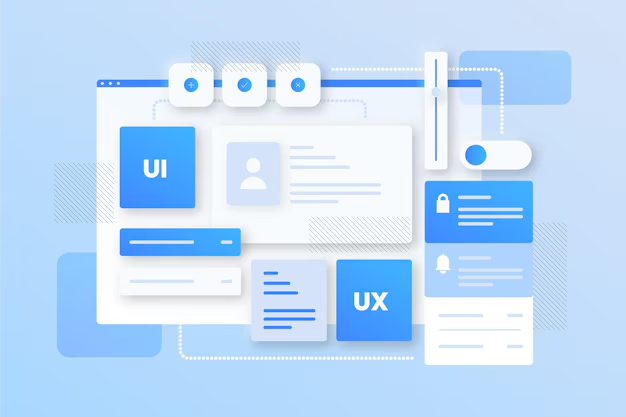
User Experience (UX) focuses on the overall experience of a user when interacting with your website. It involves how easy and intuitive it is for your readers to navigate, find content, and accomplish tasks like subscribing to newsletters, leaving comments, or sharing posts.
-
User Interface (UI) refers to the visual elements of your website, such as colors, fonts, buttons, and layout. A good UI ensures that the design is aesthetically pleasing, easy to navigate, and matches your brand identity.
For a blogger, the combination of UX and UI is crucial because it ensures that your audience enjoys a smooth, pleasant, and efficient browsing experience while consuming your content. The better the design, the more likely users are to stay longer, explore more pages, and come back for more.
1. Better Navigation = More Engagement
When visitors arrive at your blog, they should easily be able to navigate your site. If users find it difficult to locate blog posts, subscribe to newsletters, or navigate between categories, they’re likely to leave your site quickly—leading to high bounce rates and lower engagement.
A well-designed blog ensures that users can find what they’re looking for quickly and without frustration.
Practical Tip:
-
Clear Navigation Menus: Use clear and intuitive navigation menus so that readers can easily find key sections of your blog (e.g., Categories, About, Contact, and Archives). A well-organized and labeled menu can save your readers time, improving their experience on your site.
-
Search Bar: Include a search bar prominently on your website, making it easy for visitors to search for specific topics or articles. This is especially important for lifestyle blogs with a wide variety of content.
-
Breadcrumbs: Implement breadcrumbs to allow readers to easily trace their path back to previous pages. This enhances the navigation experience, especially on larger blogs with many posts.
By making it easy for users to find what they’re looking for, you improve engagement and keep them coming back for more content.
2. Fast Load Times = Happy Readers
Page speed is a critical factor in both user experience and SEO. In fact, studies show that if a webpage takes longer than three seconds to load, visitors are more likely to leave the site. Slow load times not only frustrate users but also hurt your blog’s search engine rankings.
How UX/UI design affects page speed:
-
Image Optimization: Large, uncompressed images can slow down your site. By optimizing images for faster loading times, you can improve the user experience without sacrificing quality.
-
Minimalistic Design: Simplicity in design helps reduce load times. A minimalist approach (fewer plugins, fewer scripts) can improve site speed and give users a cleaner, faster browsing experience.
-
Mobile Optimization: Many readers access blogs via mobile devices. Optimizing your design for mobile ensures a smooth experience across all devices, further reducing bounce rates and increasing engagement.
Practical Tip:
-
Use tools like Google’s PageSpeed Insights to analyze your website’s speed and identify areas for improvement. Reducing load time improves the overall UX and keeps visitors happy.
3. Enhance Visual Appeal with Consistent Branding
The visual design of your blog is just as important as its functionality. A visually appealing blog will captivate your audience and enhance their overall experience. Consistency in design—such as using a unified color scheme, typography, and imagery—helps create a cohesive and professional brand identity.
Your blog’s design should reflect the tone of your content. For example, a lifestyle blog that focuses on health and wellness may benefit from a clean, calm design with light colors and soft fonts, while a travel blog may use more vibrant colors and adventurous visuals.
Practical Tip:
-
Branding Consistency: Use a consistent color scheme, logo, and fonts across all pages of your blog. This not only enhances the aesthetic but also reinforces your brand identity. Make sure your design aligns with the voice and theme of your blog.
-
Whitespace: Don’t overcrowd your website with too many elements. Proper use of whitespace (empty space between content) makes your website feel less cluttered, leading to a more pleasant browsing experience.
By designing a visually appealing and cohesive blog, you create an experience that resonates with readers and encourages them to stay longer.
4. Simple, Intuitive CTAs = More Conversions
The ultimate goal of your blog is to convert visitors into subscribers or even customers. A successful blog should encourage users to take action, whether that’s subscribing to your newsletter, downloading a free resource, or purchasing a product. This is where your Call to Action (CTA) buttons come into play.
UX/UI design can optimize the placement, color, and wording of CTAs to make them more compelling. By ensuring that your CTAs are easy to find and understand, you’ll significantly improve conversion rates.
Practical Tip:
-
Prominent CTAs: Place your CTA buttons in visible areas such as at the top of the page, at the end of articles, and in the sidebar. Use contrasting colors to make them stand out and attract attention.
-
Clear, Actionable Text: Use strong, action-oriented text for your CTA buttons (e.g., “Subscribe Now” or “Get Your Free Guide”). Avoid vague phrases like “Click Here,” as they are less likely to inspire action.
-
Pop-Ups and Sticky Bars: Use well-designed pop-ups or sticky bars to encourage newsletter sign-ups or promote special offers. But remember, these should be subtle and not intrusive to avoid annoying your visitors.
By focusing on user-friendly CTAs, you can effectively guide users toward taking actions that benefit your blog, from subscribing to your newsletter to sharing your content.
5. Improve Mobile Experience for Higher Engagement
In today’s mobile-first world, it’s crucial that your blog provides a seamless experience across all devices, especially mobile. With many readers accessing blogs from smartphones or tablets, a mobile-optimized website is no longer optional—it’s essential.
A mobile-friendly blog ensures that your readers can easily read articles, subscribe to newsletters, and navigate your site on any device, improving engagement and satisfaction.
Practical Tip:
-
Responsive Design: Choose a responsive design that adjusts to any screen size, ensuring a smooth reading experience for all users. Test your blog on various devices and browsers to ensure compatibility.
-
Touch-Friendly Design: Optimize buttons and navigation for mobile users, ensuring that they can easily click, tap, and navigate with their fingers.
-
Readability: Make sure your text is legible on smaller screens by using larger fonts and optimizing spacing for easy reading.
By creating a mobile-first design, you ensure that your blog delivers a seamless and enjoyable experience for readers, no matter how they access it.
Conclusion:
As a lifestyle blogger, your ultimate goal is to build a loyal audience, increase engagement, and convert visitors into subscribers. UX/UI design plays a significant role in helping you achieve this. By optimizing navigation, improving page load times, enhancing visual appeal, and creating intuitive CTAs, you can provide a user experience that encourages visitors to stay on your site, explore more content, and ultimately take action.
Don’t forget that user-centered design is an ongoing process. Regularly analyze your website’s performance, gather user feedback, and refine your design to meet the evolving needs of your audience. A well-designed blog not only boosts traffic and engagement but also helps establish your brand as a trusted authority in your niche.
In short, a thoughtful, user-friendly design is one of the most powerful tools you have to achieve long-term success with your blog.

Share

Keep me postedto follow product news, latest in technology, solutions, and updates
Related articles
Explore all