PageSpeed Insights: Speed Up Your Website, Boost Your Sales
Share

In a digital world where users expect everything instantly, website speed has become a crucial element of user experience—and by extension, a key SEO ranking factor. A slow-loading site not only frustrates users but also directly impacts conversion rates, bounce rates, and overall revenue.
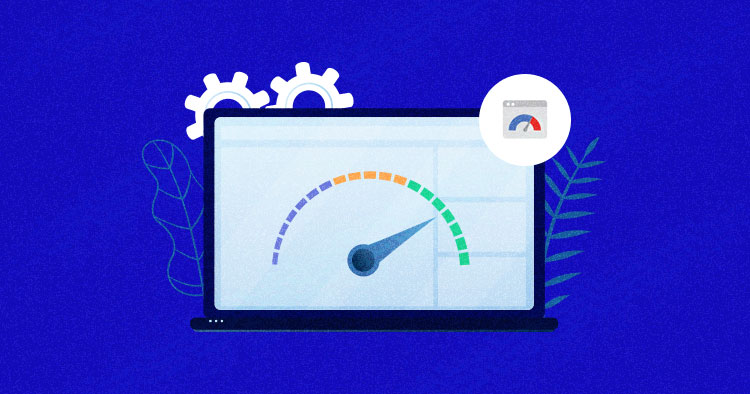
Enter PageSpeed Insights (PSI), a free and powerful tool provided by Google that helps website owners measure the performance of their pages on both desktop and mobile. It doesn’t just deliver a score—it offers specific, actionable suggestions that can be implemented immediately to improve load times and usability.
In this article, we’ll dive deep into how PageSpeed Insights works, what makes it unique, and how optimizing your site speed can lead to real business results, including better sales performance.
Why Page Speed Matters More Than Ever
Users today expect websites to load in under three seconds. If it takes longer, they’re likely to hit the “back” button and try a competitor’s site instead. In fact, numerous studies have shown that every additional second in load time can drastically reduce conversions.
Page speed also influences:
-
Search engine rankings: Google uses page speed as a mobile ranking factor.
-
User engagement: Slow websites result in higher bounce rates.
-
Customer satisfaction: Fast, smooth experiences improve brand perception.
-
Revenue: Especially in e-commerce, milliseconds can be the difference between a sale and a cart abandonment.
What Is PageSpeed Insights?
PageSpeed Insights is a performance analysis tool that evaluates how quickly a page loads on desktop and mobile devices. It’s powered by Lighthouse, Google’s open-source auditing platform.
You simply enter a URL, and PSI will return:
-
An overall performance score (0–100)
-
Metrics like First Contentful Paint (FCP), Time to Interactive (TTI), and Largest Contentful Paint (LCP)
-
Diagnostics and opportunities to speed up load times
-
Suggestions categorized by impact level
The tool also separates field data (real user experience data from Chrome users) and lab data (controlled simulations), offering a comprehensive picture of how your site performs.
Key Metrics Measured by PSI
1. First Contentful Paint (FCP)
The time it takes for the first piece of content to appear on screen. Lower is better.
2. Largest Contentful Paint (LCP)
Measures how long it takes for the main content of the page to be visible.
3. Cumulative Layout Shift (CLS)
Tracks how much the content moves around as the page loads—lower means more stability.
4. Time to Interactive (TTI)
How long it takes before users can fully interact with the page.
5. Total Blocking Time (TBT)
The total time during which a user cannot interact with the page.
Understanding these metrics allows developers and marketers alike to identify and prioritize what needs fixing.
Common Issues PageSpeed Insights Flags
-
Unoptimized images
-
Render-blocking resources (e.g., large CSS or JavaScript files)
-
No browser caching
-
Inefficient server response times
-
Poor font delivery methods
-
Heavy third-party scripts
Each issue is ranked by the potential impact it has on performance, helping teams decide what to address first.
Real-World Use Case: Fixing a Slow Checkout Page
Let’s consider a practical example to show just how impactful PageSpeed Insights can be.
An e-commerce business had been experiencing high cart abandonment rates—especially on mobile. Despite a well-designed user interface and competitive pricing, potential customers were dropping off right before completing a purchase.
Using PageSpeed Insights, the development team analyzed the checkout page, which revealed:
-
High LCP scores due to oversized product images
-
Blocking scripts that delayed interactivity
-
Unused third-party code slowing down the rendering
What they did:
-
Compressed and lazy-loaded all product images
-
Minified JavaScript and CSS files
-
Deferred non-essential scripts
-
Enabled caching for repeat visitors
The Result?
Page load time on the checkout page dropped by more than two seconds. More importantly, cart abandonment rates decreased by 20% within just one month—without any changes to design, pricing, or advertising.
This example clearly illustrates how technical improvements using free tools like PSI can lead directly to increased sales and improved customer experience.
Best Practices Based on PageSpeed Insights
1. Optimize Images
Use formats like WebP and compress images without losing quality. Tools like TinyPNG or built-in CMS optimizations can help.
2. Minimize JavaScript and CSS
Remove unused code, and load scripts asynchronously or defer them when possible.
3. Enable Browser Caching
Store static files like images and stylesheets locally so repeat visitors don’t need to re-download them.
4. Use a Content Delivery Network (CDN)
Distribute content across global servers to reduce latency.
5. Improve Server Response Time
Consider upgrading hosting or using caching solutions to reduce TTFB (Time to First Byte).
6. Lazy Load Off-Screen Elements
Images and videos not immediately visible should load only when needed.
How to Use PageSpeed Insights Effectively
-
Visit https://pagespeed.web.dev/
-
Enter your URL and hit “Analyze”
-
Review the performance score and individual metric scores
-
Expand the "Opportunities" and "Diagnostics" sections for actionable tips
-
Fix issues in priority order and retest
Pro tip: Keep track of changes over time. Improvements may not appear instantly in real-world data, but you’ll usually see changes reflected within weeks.
PageSpeed and Core Web Vitals
Google's Core Web Vitals are a subset of performance metrics now used as ranking signals. They include:
-
LCP (Largest Contentful Paint)
-
FID (First Input Delay)
-
CLS (Cumulative Layout Shift)
PageSpeed Insights is currently one of the most reliable tools for monitoring and improving these signals—especially in preparation for algorithm updates that emphasize user experience.
Final Thoughts
Speed isn’t just a luxury—it’s a necessity. Whether you run an e-commerce store, a blog, or a corporate website, fast loading times can significantly enhance user satisfaction and improve your visibility in search results.
PageSpeed Insights provides an accessible, data-driven way to identify and resolve performance issues. With zero cost and maximum impact, there’s no excuse for running a slow site in 2025.

Share

Keep me postedto follow product news, latest in technology, solutions, and updates
Related articles
Explore all